This sample shows how to convert a PDF document with n pages into n documents with one page each.
PDF Output File
See the PDF files created by this sample:
First page:
output.pdf (31 kB)
Second page:
output.pdf (17 kB)
Note: the sample creates six pages from the sample document, only two pages are provided here.
Screen Shots
Here are two sample screen shots:
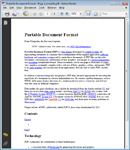
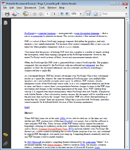 Note:
Note: the sample creates six pages from the sample document, only two pages are shown here.
Source Code
This is the whole source code needed to create the PDF file:
// Get a fresh copy of the sample PDF file
const string filename = "Portable Document Format.pdf";
File.Copy(Path.Combine("../../../../../PDFs/", filename),
  Path.Combine(Directory.GetCurrentDirectory(), filename), true);

// Open the file
PdfDocument inputDocument = PdfReader.Open(filename, PdfDocumentOpenMode.Import);

string name = Path.GetFileNameWithoutExtension(filename);
for (int idx = 0; idx < inputDocument.PageCount; idx++)
{
  // Create new document
  PdfDocument outputDocument = new PdfDocument();
  outputDocument.Version = inputDocument.Version;
  outputDocument.Info.Title =
    String.Format("Page {0} of {1}", idx + 1, inputDocument.Info.Title);
  outputDocument.Info.Creator = inputDocument.Info.Creator;

  // Add the page and save it
  outputDocument.AddPage(inputDocument.Pages[idx]);
  outputDocument.Save(String.Format("{0} - Page {1}_tempfile.pdf", name, idx + 1));
}
Note: The samples on this site usually show and discuss code snippets only. The complete source code of the samples with solutions for Visual Studio is available from the
download area on CodePlex.